Skip to content
Request a Demo
Request a Demo
guard tour system, guard patrol system, security guard software

Create and Schedule Security Patrols

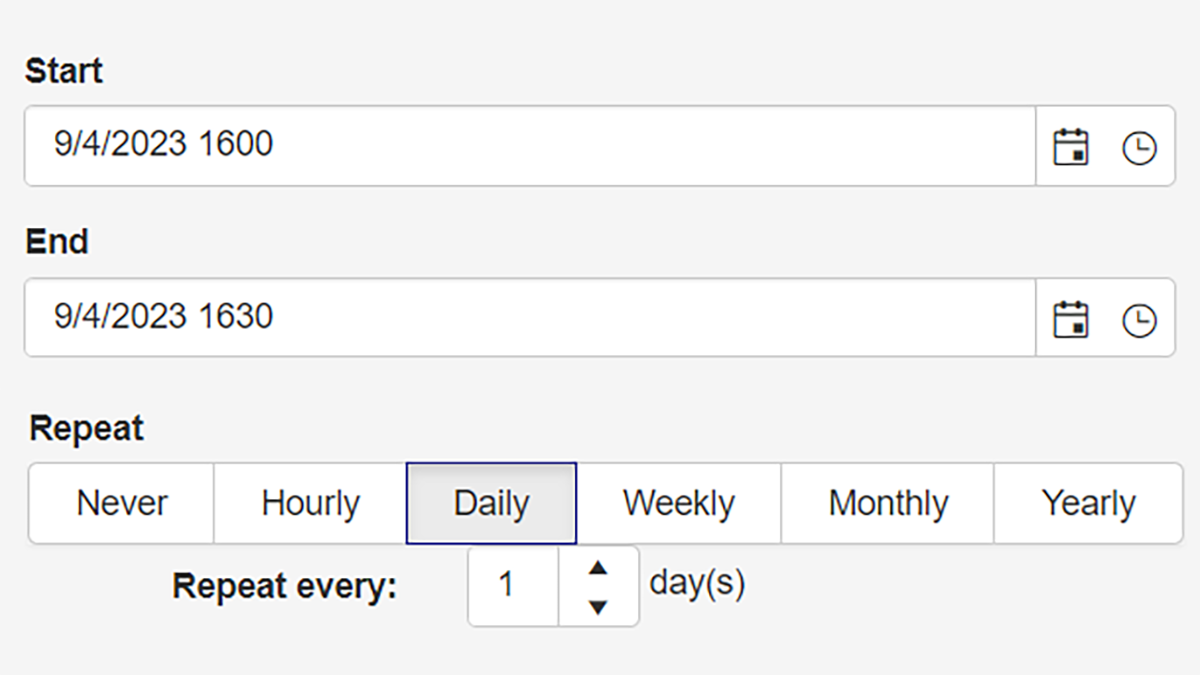
Use dropdown lists and drag-and-drop selectors to quickly build patrol routes for an entire building or a single door check. Schedule patrols to repeat daily, weekly, monthly, or yearly. You can also end them after a set number of occurrences or on a specific date
guard tour system, guard patrol system, security guard software

Assign Dynamic Checklists to Check Points

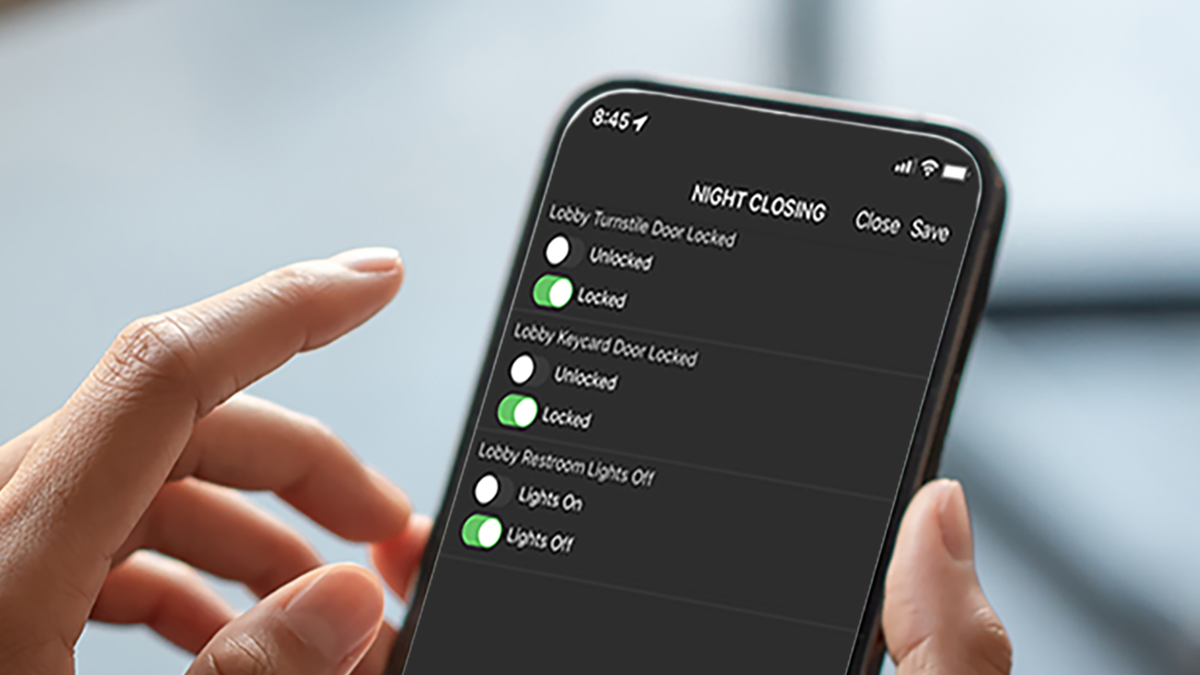
Create and assign dynamic forms or checklists for each checkpoint. These checklists help teams complete and verify required activities. Verification options can include radio-button responses, dropdown selections, digital media uploads, and e-signatures.

Run Patrols with Automated Proof of Presence Software

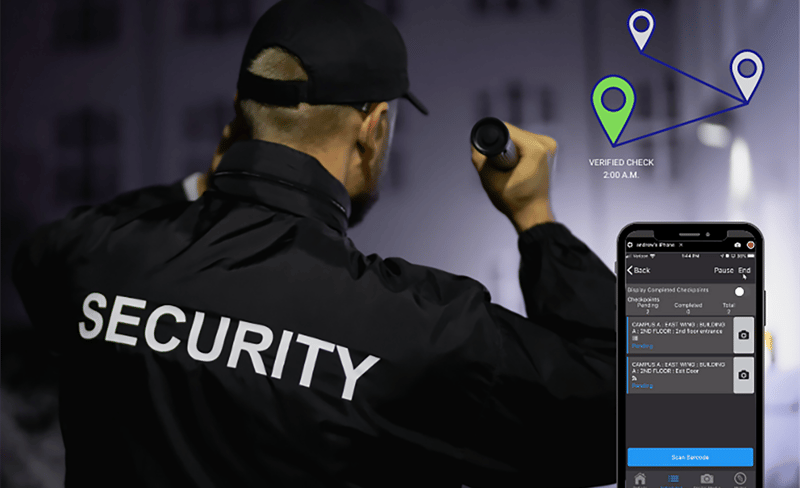
Security guards receive a prompt on a desktop or mobile device to start an assigned tour. You can schedule tours in advance or leave them unscheduled. At each checkpoint, barcode, beacon, or NFC tag scans automatically record the guard’s time, date, and location.
guard tour system, guard patrol system, security guard software

Set Supervisor Notifications and Alerts

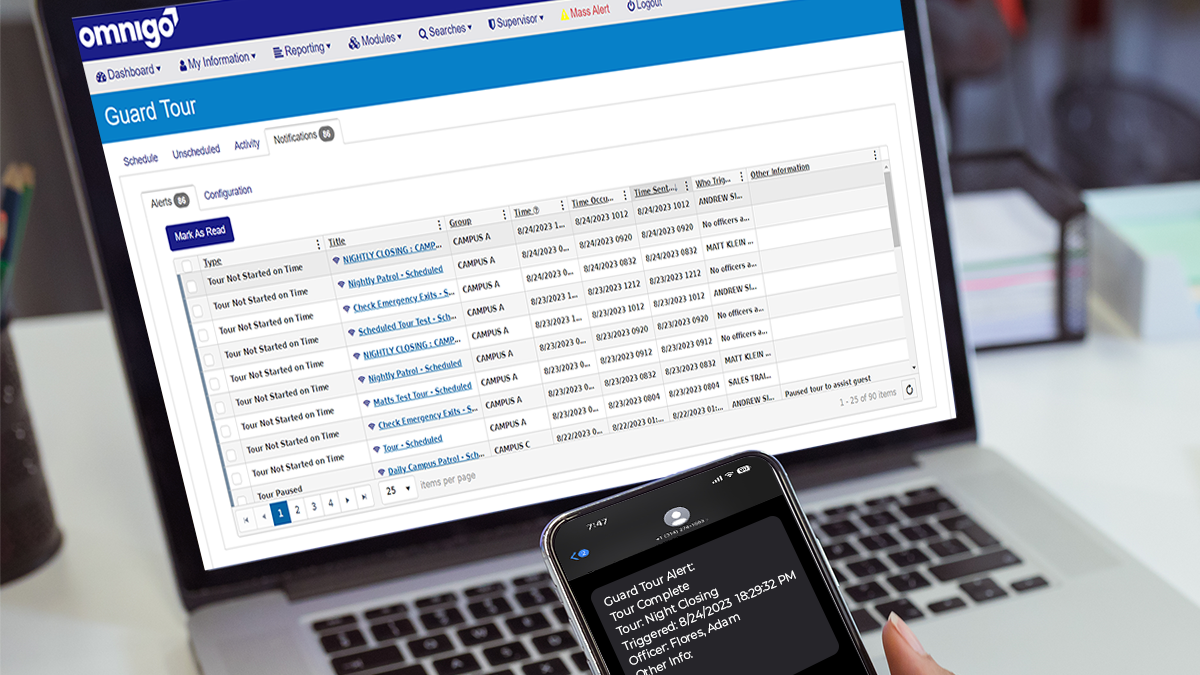
The system alerts supervisors when a patrol starts late, ends late, or stops before completion. Send notifications to one or more email addresses or mobile numbers. Supervisors can also view each alert in the system.
guard tour system, guard patrol system, security guard software

Limit Risk of Liability

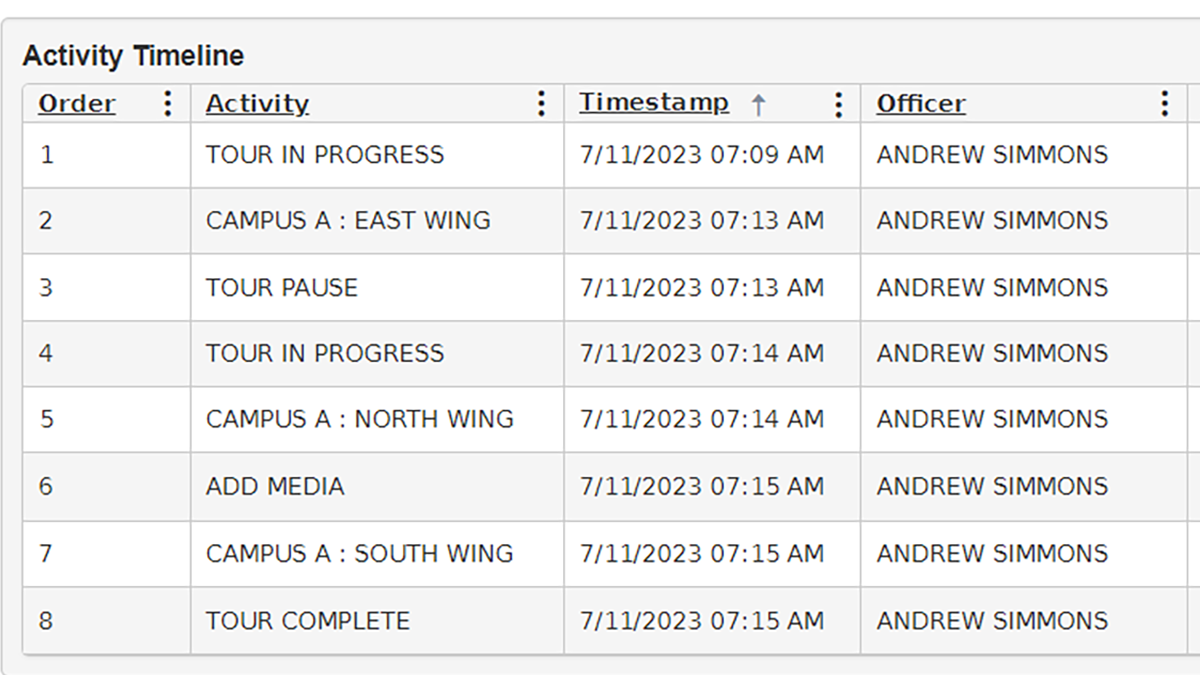
Use patrol reports to create a clear audit trail and limit liability risk. See each activity an officer completes during a patrol. View the date, time, and verified location for each activity.

Frequently Asked Questions

What is a guard tour system?

A guard tour system helps security teams create, schedule, track, and verify security patrols. Supervisors can confirm that officers completed assigned tours. They can also see which locations officers checked and what activity they documented during each patrol.

How does Omnigo help teams create and schedule patrols?

Omnigo helps teams build patrol routes for a full property, building, floor, or specific checkpoint. Users can schedule them to repeat daily, weekly, monthly, or yearly. They can also set an end date or stop after a set number of occurrences.

Can security teams assign checklists to patrol checkpoints?

Yes. Security teams can assign dynamic forms or checklists to each checkpoint. These checklists help officers complete required tasks and verify each activity during a tour.

What can officers submit during a patrol?

Officers can submit responses through radio buttons, dropdown selections, digital media uploads, and e-signatures. This helps teams capture consistent tour records and verify completed activities.

How does proof of presence work in a guard patrol system?

Proof of presence confirms that an officer reached each assigned checkpoint. Omnigo records the officer’s time, date, and location at each stop. Teams can verify stops with barcodes, beacons, or NFC tags.

Can supervisors receive alerts for missed or incomplete patrols?

Yes. Supervisors can receive automated alerts when a tour does not start on time, does not end on time, or stops before completion. Teams can send alerts to one or more email addresses or mobile numbers.

How do patrol reports help reduce liability risk?

Patrol reports create a clear audit trail. Supervisors can see each activity an officer completes during a tour. They can also review the date, time, and verified location for each activity.

Who should use security guard patrol software?

Organizations that need to verify officer activity should use security guard patrol software. This includes teams that manage buildings, campuses, facilities, or properties. The software helps teams standardize patrols, document completed work, and improve visibility into security operations.

Modernize How Your Team Manages Security Patrols

Move beyond paper logs and disconnected tools. Omnigo helps your team plan patrol routes and verify checkpoint activity. Send alerts and create clear reports from one system.